
How to write blog posts from docs that do not put you to sleep
Do not paste your docs into AI and wait for a good post. Mix the source docs with your own script and real stories, so the post is accurate and gripping.

On this page
- Prepare your docs pages and your time
- Gather a group of pages for one post
- Check the pages hold enough facts
- Split your time by Idea - Write - Edit
- Step 1. Settle the customer’s problem
- Start from the overview page
- Each post solves one problem
- Change the group of pages for the next post
- Step 2. Write what the vault does not have
- Build the script like a story
- Record to add your stories
- Let AI arrange it by your script
- Step 3. Check the post against the vault
- Find where the post drifts from the vault
- Link to the pages the post mentions
- Update old posts when the vault changes
- Go slow to go fast
You paste a whole docs page into ChatGPT and ask it to turn it into a blog post. What comes back reads almost like the docs page. It is as dry as a user manual, and even you feel sleepy reading it.
A derivative blog post does not come from one prompt. From a group of docs pages, you build the script yourself for one specific customer, add your own stories, let AI arrange it, then check it against the vault yourself. Go through the three steps below, and you will have a blog post that is true to the facts in your vault. Readers will still want to read it to the end.
Prepare your docs pages and your time
Before Step 1, you need a group of docs pages that already hold enough facts in your Truth vault, plus a clear block of time. Your stories come in at Step 2.
Gather a group of pages for one post
When you write a derivative post, one docs page does not mean one post. A blog post is usually 2-3 pages put together, sometimes 2 pages from 2 different groups, plus your own point of view. For example, from the derivative content page and the repurposed content page, I wrote a comparison post to show clearly where the two differ.
So do not try to split 4-5 blog posts out of one docs page. That is going the wrong way. Make plenty of docs pages first, 5, 7 or 10 pages, then mix the pages together, for example change the order, pull out the bright spots, group them in a new way. Each new way of grouping is already a post. Your Truth vault then becomes a store of ideas.
The number of posts follows the number of pages:
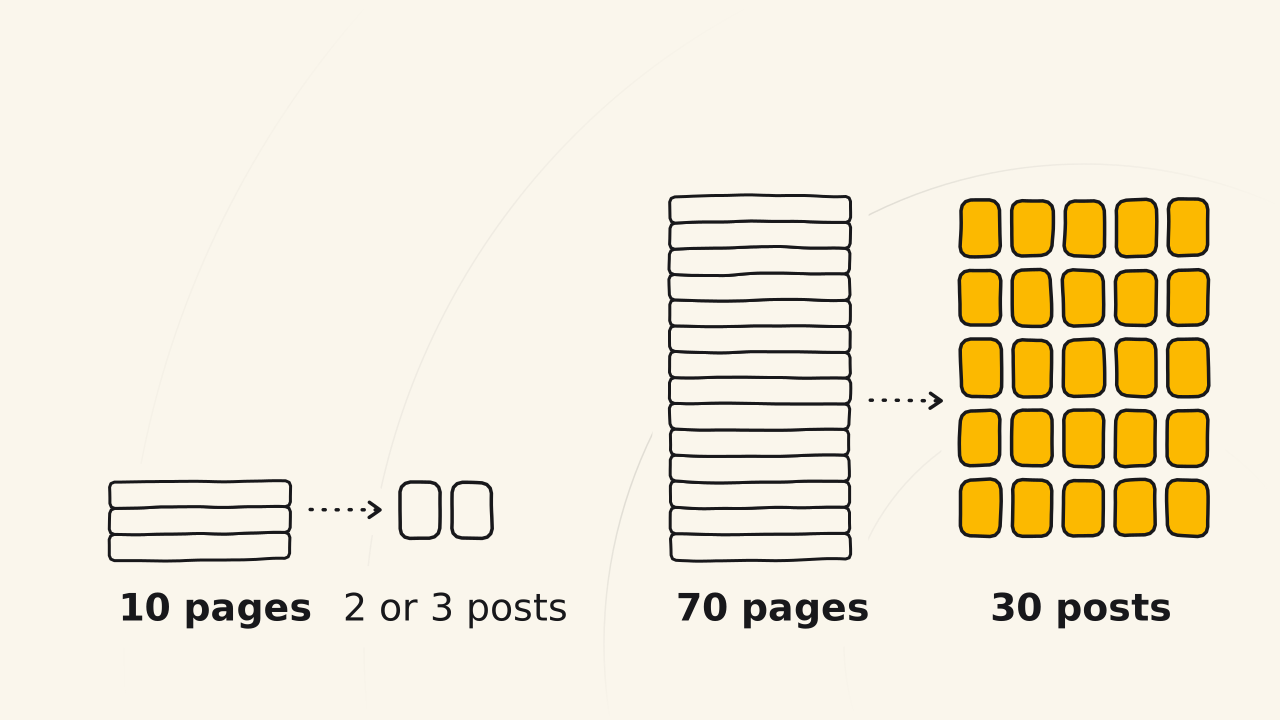
- 10 docs pages may give you only 2-3 posts.
- 30 posts a month needs a vault of 60-70 pages or more from the start.
- Once the vault is full, the pages mix with each other from many angles, and the number of posts is almost endless.
Having only 3 pages, one overview page and 2 guides, and aiming for a month of posts is the wrong strategy from the start. The vault only takes hard work at the beginning, when you have nothing to say yet. Go slow to go fast, because once you have 70-80 pages, each new post builds on what you already have, so it is lighter and much faster to write.
Reference pages are different. Early on, while there are few of them, a reference page only supports. It has to go with another page to make a post. Once you have many reference pages, they can make posts too.
Check the pages hold enough facts
The rule is just one sentence, namely if you have done it, teach it, and if you have not done it yet, do not teach it. The Truth vault backs up your how-to posts, because the vault only takes work you have done, by the rules of Entity docs.
A guide page with enough facts goes step by step, with pictures, screen recordings, and the traces and history of the time you really did it. With those, the post comes faster.
If a page is still missing something, fill it in as fast as you can, as your time allows, then move on to Idea - Write - Edit. You set out the ideas first and write down the facts right, and the wording comes later.
Do not wait for perfect. Perfect by what standard, and how do you know that perfect is right? Many things look perfect and are still wrong, such as the wrong frame, the wrong structure. If you do not write it, you have nothing to fix.
Think of your Truth vault as living software. The first version is sure to have bugs, such as wording that is not clear yet, ideas not in order yet, a structure that makes readers lose the thread.
You are the one who patches the holes in your own vault. You put it back in order so it fits how readers think, and group it more precisely. Each patch like that is one update to the vault.
Split your time by Idea - Write - Edit
There is no fixed number for how long a post takes. The time depends on the post and on your own pace, just as the Publishing process says.
Say you have two hours each evening. The first hour goes to the Idea step. Once the Idea is done, the other hour goes to Write and Edit. For a long post like a Love post, two hours may only be enough to set out the ideas, or not even that, and you spend one more day.
If you want to go faster, you raise it to four hours a day. In the early days you may wear yourself out a bit, because you are building. Understand that and accept it.
Step 1. Settle the customer’s problem
The Idea step decides what the post says, and to whom. Your raw material is the pages you just gathered, and your job is to see the customer’s problem inside those pages.
Start from the overview page
Your first derivative post comes from the overview page. The overview page is the Love post of your Truth vault. It follows a formula, namely what it is, why, how it works, its parts, and the strategy to carry it out.
Around the overview page are the concept pages (the entities that make up the overview) and the guide pages (how everything works), just as in the vault’s docs structure.
With all of those in place, it is easy to write a Love post for your blog, and the Love post is the one you write first. Once you finish the overview page of one part of the vault, retell that page as a post right away, so you get your first footprints on the blog.
I tripped on exactly this. The first time, I did not see that the overview page was the Love post of the vault, so I did not use it. I took a few other parts of the vault, a few definitions, concepts and strategies, and wrote a Love post that fell short. When I saw what was missing, I had to go back and update my Truth vault.
Each post solves one problem
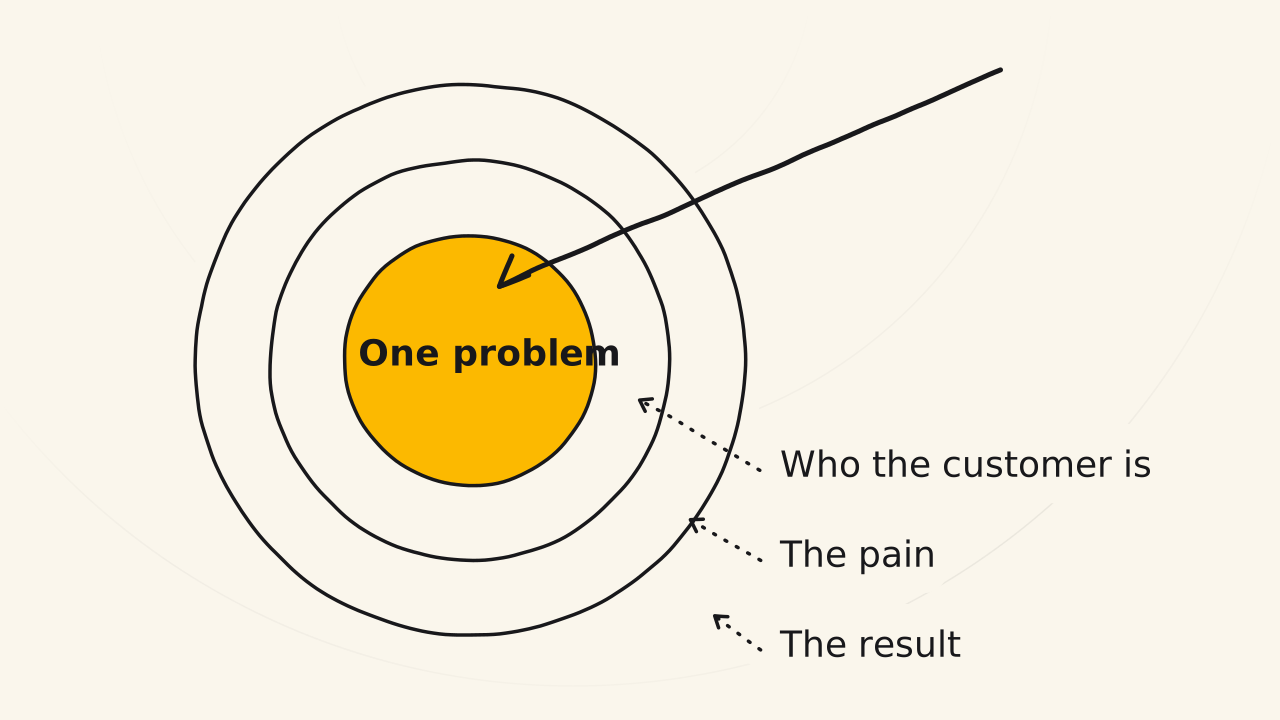
The rule of a post is that one post solves one problem, and that is the customer’s problem. A docs page has no core message, so you have to make the core message yourself.
Your daily task is to open your docs pages and read them, then settle the core message in three steps:
- Read your pages again. Read what you yourself wrote, read it closely, read it back and forth.
- Ask what problem the group of pages solves. For your customer, what problem does this group of pages solve? Look at your Truth vault, and you will see what the pages can be used for. Once you can name that problem, you have a blog post.
- Write a one-sentence core message. That sentence says who the customer is and their situation, their pain, a reasonable solution based on the docs, and the result it promises.
The method you offer does not have to be perfectly right, but it has to be reasonable and win the reader’s agreement, to the point that they cannot argue. Nothing is right, only reasonable. Name the pain right, and people pay attention. Give a clear result you can prove, and people read to the end.
Change the group of pages for the next post
The second post differs from the first because it solves a different problem, so it has to stand on a different group of pages. Say the first post used 4 docs pages. The second post also uses 4 pages, but only 2 are the same. The other two are swapped out, and the new mix makes a different post.
The type of page decides the type of post. Guide pages mixed with concept pages easily become a Trust post, because it both explains and shows how. Concept, overview and strategy pages easily become a Know post. There you describe the concept more clearly through a story, set in the customer’s situation and pain, because people do not always understand a concept.
Step 2. Write what the vault does not have
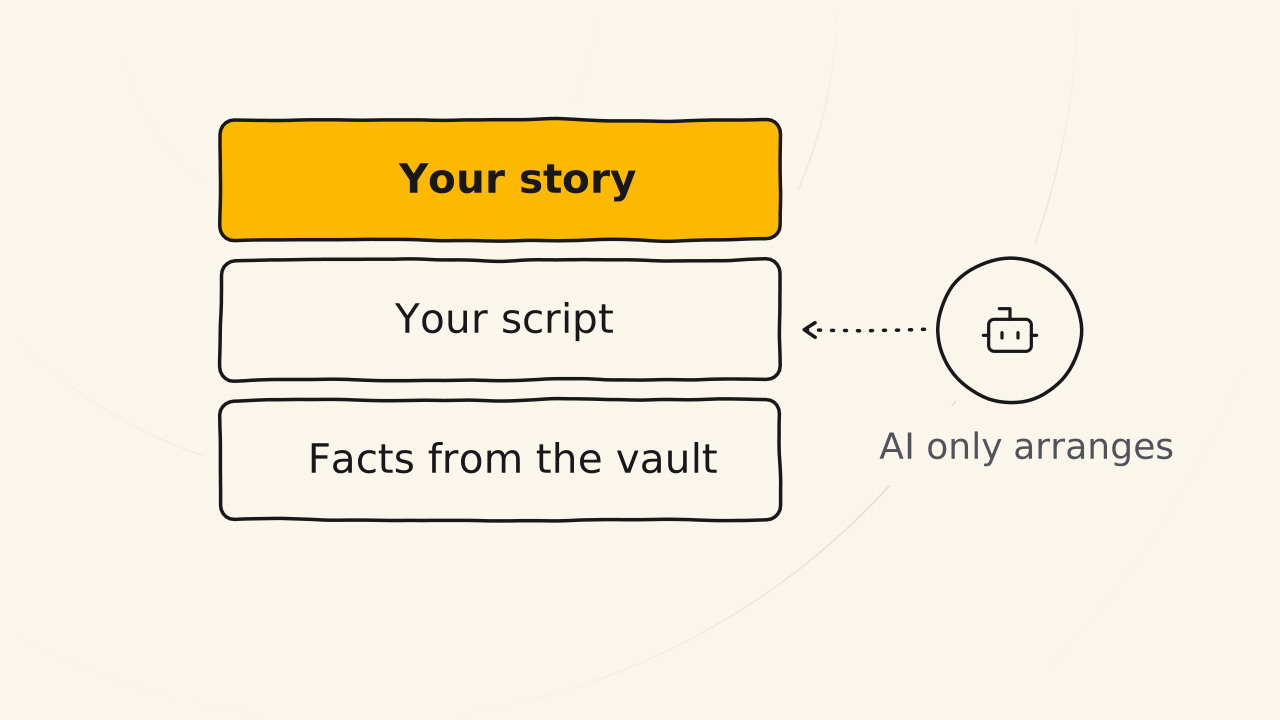
A docs page holds only facts. The Write step adds two things the vault does not have, namely a script to make the post gripping, and stories to give the post a soul.
Build the script like a story
Of course ChatGPT gives back a post that reads almost like the docs page. A docs page speaks in general terms and solves a general problem. A blog is derived from the docs page, which means a blog post has a core message, has a story, and aims to solve a specific problem in a specific case. A blog is a reading experience, and people only read when that experience is good.
The outline is the content script, and you are the one who makes that script. AI does not understand your story, and it does not understand your customer or their pain. Without a script, the post does not grip from the start, and people will not read it.
Write the script the way you would write a story. Before you set out the opening, the body and the ending, you have to understand the setting of the story and the entity you are talking about. You also have to understand what the customer really cares about, so you can create empathy. You cannot put a textbook into a story. You put in conflict, events and a thread that leads the reader on.
I plan my scripts in Tana, a note-taking app I use as a thinking tool. All my thinking lives in Tana, especially my content scripts. Tana is also where I record very quickly, and the recording for this very post was made in Tana.
Record to add your stories
Writing a post from docs pages always has a blind spot, because the pages hold only facts and how-to steps. They lack your personal stories, your history and your memories.
Fill in what is missing in three steps:
- Find the places in the script that lack a story. Read the script and mark the places that have only facts and no story yet.
- Check the idea vault first. Maybe you already told those stories in your first recording, when you made the docs, and they are in the idea vault. Then you do not need to record them again. The post then draws on two sources: the idea vault pulled from your recordings, and the docs.
- Record a second time or write more. Tell the road you walked before you had the facts, with pictures of what you did: how you struggled with it, how you stayed up all night, where you failed and where you won, what you gave up.
People love someone who shows their scars. Those stories are not in the vault, because their place is the blog. The blog patches the Truth vault from the outside, with stories and feelings, so the two go hand in hand.
A docs page is dry on purpose. It should be dry, so that you keep the work of adding feelings separate. Raw material with no feelings yet is very easy to add feelings to. Material already cooked with feelings is different. Add more, and you get two layers stacked on each other, pulling against each other, and the story becomes very hard to tell.
Let AI arrange it by your script
AI does not write for you. My belief is that people do all of it, the docs pages included, and AI only pulls things out to save time. You say 10,000 words in a recording, AI cuts it down to about 2,500 words, checks it against the docs, and adds the links. AI arranges it by your script, groups the ideas, cuts the excess and fixes spelling.
The post has only three sources, which are your Truth vault, your stories, and your idea vault. The post takes nothing from AI’s imagination or from the internet.
Hand the work to AI in three steps:
- Paste the three sources into the prompt. Your content script, the docs pages, and the stories and ideas you recorded.
- Let AI pull out and arrange. AI groups the ideas, cuts the excess and fixes spelling, in the exact order of your script.
- Fill in the gaps yourself. Where AI writes [MISSING] is a place only you can tell: go back and record, or write more.
The sample prompt below keeps AI inside those limits.
Only rearrange. Do not write anything new.
My content script: [paste the outline]
Docs pages: [paste the pages]
Stories and ideas I recorded: [paste the transcript or the ideas pulled out]
Arrange the ideas in the exact order of the script, merge repeated ideas, cut the excess, fix spelling.
Do not add any fact, number or feature that is not in the three sources above.
Where the script needs something the three sources do not have, write [MISSING] and leave it blank.
A prompt like “I have four pages of docs here, write me a blog post” gives you a post that still rests on the vault but has no script, so readers do not feel it, and the post fails.
It gets worse when you push AI to write about something the vault does not have, or chase a keyword the vault has no page for yet. Turn the creativity up too high, and AI starts to hallucinate too. That is when AI makes up a product feature you do not have.
Step 3. Check the post against the vault
When you want to fix something, you look at the facts, not at the wording. The vault is the true copy, and the post has to match it.
Find where the post drifts from the vault
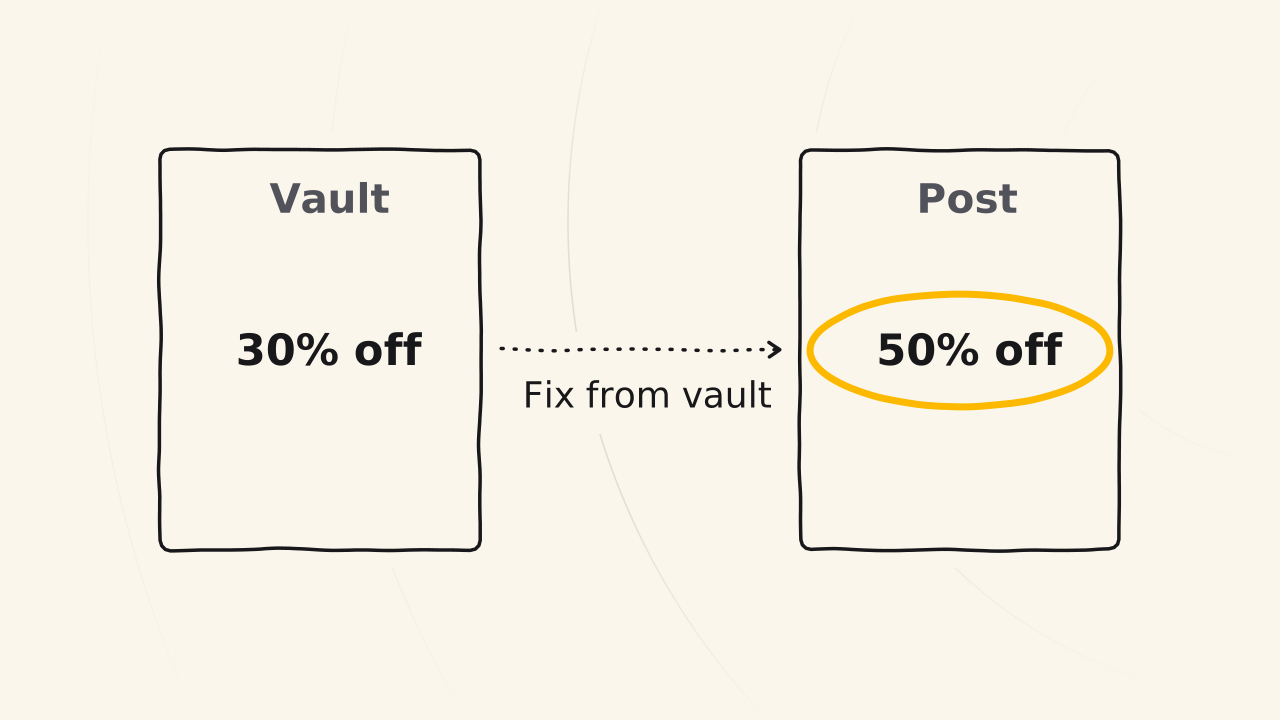
A post drifts from its docs page because you wrote it wrong yourself, since you did not check. The docs page says 30% off, and the blog post pushes it up to 50%. You wrote that 30% yourself. You are the final reviewer and the one responsible in the end.
- Read the post next to the source page. Go through the post paragraph by paragraph, and open the docs page each paragraph rests on.
- Check every number. If the page says 30%, the post says 30% too.
- Fix the post to match the vault. The vault is the true copy. If you used AI and it pulled something out wrong, you are still the one who checks it again.
Do not be surprised when the post is much longer than the source page. A docs page is 800 words or more on average. When you add a core message, the customer’s situation, and what is unique and personal to you, 800 words becoming 2,000, 2,500, sometimes 3,500 words is normal. The post grows because it has more stories, not because it has new facts.
Link to the pages the post mentions
A group of pages makes a post, so the post links back to those pages so readers can see the real facts. Those are internal links, and you just place them naturally, which means you link the pages the post mentions, and the pages it does not mention need no link. A docs page already describes many entities and keywords, so the link sits right on the words that mention that entity.
Update old posts when the vault changes
Your Truth vault is a living vault, which means docs pages are updated all the time, and the blog posts published from those pages have to be updated to follow. The order is always fix the vault first, then fix the post, as the guide When your product changes says. Whether you fix right away or batch it up depends on how often you change the vault and how much time you have:
- If you update docs pages every day, fix the posts to follow as soon as you can, within about 3-7 days, in a time slot when you are free.
- If you update only 4-5 times a month, the posts do not need to follow so fast, for example a fix once every 3 months to save effort.
Go slow to go fast
Writing a blog post straight off looks faster. Going through the vault makes the first post slower, but each post after it is lighter, because you build on the pages you already have. A post where you build the script and tell the stories yourself is content with real effort, and readers see that effort in how the post flows.
The three steps in this post are one hands-on round on the road of Truth vault: go slow to go fast, where each post is always easier than the one before.
Today, open the overview page of one part of your vault and write your first derivative post from it.