
This page gathers what AI does at each step of Idea - Write - Edit and three sample prompts to copy. At every step, AI only does side work on the data you give it, and you always decide.
| Step | AI does | You do | AI does not |
|---|---|---|---|
| Idea | Groups, pulls apart, shortens sentences, suggests titles | Pour out ideas, pick ideas, lock the outline | Think up ideas for you |
| Write | Turns speech and photos of handwriting into text, splits paragraphs | Say or write it all, no looking things up | Write the draft for you |
| Edit | Orders the draft by the outline, finds repeated ideas, suggests how to tighten or tightens roughly | Approve each idea, cut, type the opening and the ending yourself | Change the big idea titles, copy someone’s voice |
The parts in square brackets are what you replace. AI only works on what you give it, so every idea is still yours.
| Prompt | Step | You give | AI gives back |
|---|---|---|---|
| Write a set of guiding questions | Idea, before you record | One line of topic, post type, reader | A set of questions in three groups |
| Sort ideas into an outline | Idea, once you have the transcript | Transcript, core message, post type | The ideas, each with a short paragraph, and a list of unused ideas |
| Order a draft by the outline | Edit | Locked outline, recorded draft | The draft in the order of the ideas, with filler words cut |
What does AI do in the Idea step?
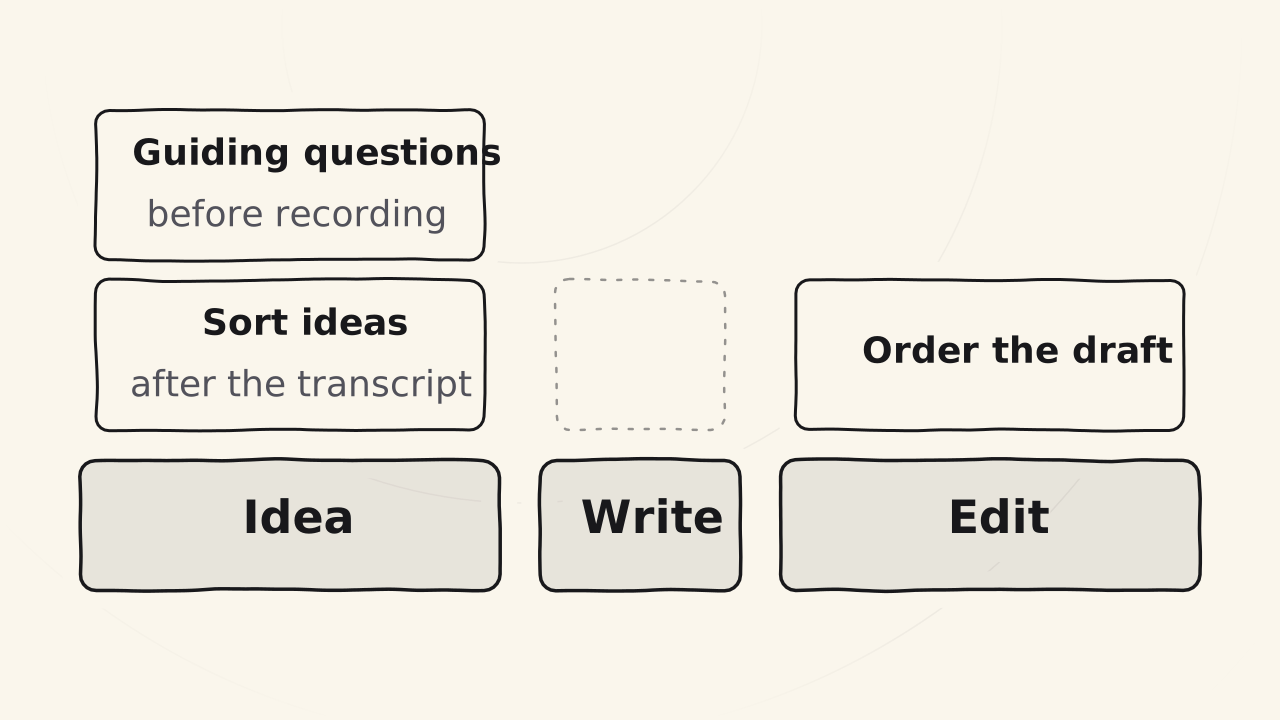
- AI does: groups the ideas you said out loud and pulls them apart into separate ideas, then lays them out neatly. AI pulls apart a 17,000-word transcript in about 10 seconds, while doing it yourself takes one to two hours. AI also squeezes a big idea that is written long into one easy sentence and suggests titles for big ideas, small ideas and the whole post, based on your ideas.
- You do: pour out every idea from what you know, tell AI the core message so it knows who the post is for, what problem it covers and what the solution is, then pick ideas, shape and cut them, put them in order and lock the outline. You set the titles of the big ideas yourself, short and with no figures of speech. AI will scan the post, and giving AI a riddle sinks your own post.
- AI does not: think up ideas or pick them for you. The outline must be your decision, because only people know what people like.
AI prompt to write a set of guiding questions
When to use it
Use it in the Idea step, before you record, when you are about to pour out ideas on a new topic. You give it one line of topic, the post type (Know, Trust or Love) and the reader. AI gives back a set of questions in three groups, for you to read aloud and answer yourself while you record. It only asks. It does not answer for you.
The number of questions is not a standard. It is Cuong’s current set: about 16 for a Know post, 26 for a Trust post, 36 for a Love post. While you record, skip any question you cannot answer, and say so when you do not remember something clearly.
Play a busy, hard-to-please customer of mine. Write a set of questions for me to read aloud and answer myself while I record.

Topic: [one line of topic]
Post type: [Know / Trust / Love]
Reader: [who they are, what problem they have]

Rules:
- Make three groups, in this order: I. What it is, II. How it works, III. Why it matters and what you get if it works.
- The group that matches the post type goes deepest: Know is group I, Trust is group II, Love is group III. Ask each main idea as a chain of two or three questions, each one deeper than the last.
- Number of questions: [how many you want. Cuong now uses about 16 for a Know post, 26 for a Trust post, 36 for a Love post].
- Each question is short, direct, one idea. Under each one, add one short line in the reader's voice with one concrete detail.
- Ask a few questions about my own story: the first time, a mistake, a turning point, a view of my own. Keep them open, and never guess the answer.
- Only ask. Do not answer for me, and do not make up my experience.What each rule in the prompt does
- Three groups: What it is, How it works, Why. These groups are the three root questions of the Idea step, grown into a full set. The three always work, even with no AI.
- The group that matches the post type goes deepest. Each post type needs something different: a Know post explains so the customer understands (group I), a Trust post goes through the steps of the job (group II), a Love post covers strategy, process and meaning (group III).
- Number of questions. The square brackets hold the number you pick. Cuong now uses about 16, 26 and 36 by post type, but that is not a standard.
- Questions about my own story. A personal story that fits an idea is told out loud while you record, so it goes straight into the post. When an idea is the same as someone else’s, your own story and experience are what make the post your own.
- Only ask, never answer for me, never make things up. AI does not think up ideas for you. The ideas, stories and experience must be yours, because readers can tell when content comes from AI.
Checking the result and fixing it
The result is usable when the set has all three groups, with the group of your post type the longest, holds only questions and no answers, and has a few questions about your own story. Read aloud, you can answer most of them. Getting stuck on a question is normal: note it, go on with the others, then go and learn more to patch that blind spot.
- AI answers for you. Run it again, keep the last rule as it is, and do not use its answers, because they are not your experience.
- You cannot answer the three root questions. You do not know the topic deeply enough to share it. Drop this post, or learn more and come back.
- You record 10,000 words and only 1,000 end up in the post. You started recording with no structure, so you repeated yourself and drifted. Next time, write the question set first: when your words stay close to the post, 10,000 words become 5,000, and with good structure 7,000.
AI prompt to sort ideas into an outline
When to use it
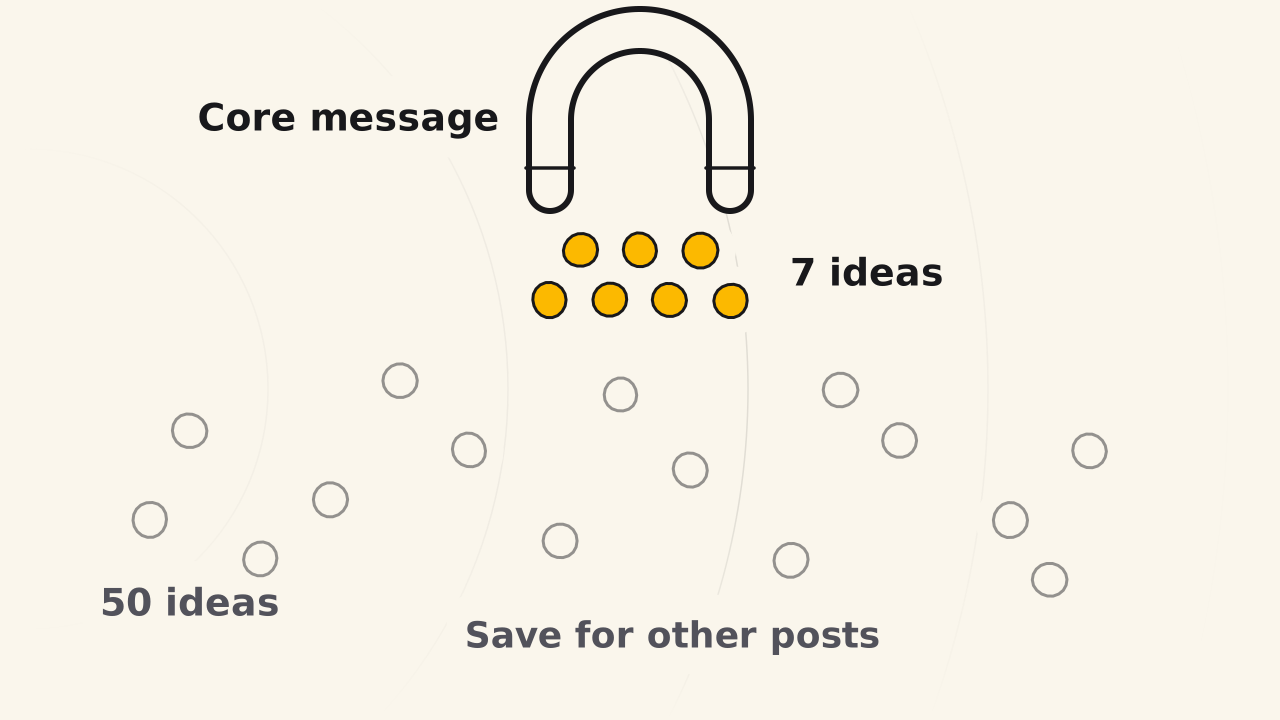
Use it in the Idea step, once you have the transcript of your recording and a one-sentence core message. You give it the transcript, the core message (who the post is for, what problem it covers, what the solution is) and the post type. AI gives back the ideas, each with a short name and a short paragraph, plus a list of the ideas it did not use.
For a transcript of 17,000 words, AI pulls out the ideas in about 10 seconds. By hand, it takes one to two hours. The result is not the outline yet. It is the material you use to pick ideas, put them in order and lock the outline.
Below is the transcript of my recording. Pull out the ideas to make an outline for a post.

Core message: [one sentence: who the post is for, what problem it covers, what the solution is]
Post type: [Know / Trust / Love]

Rules:
- Keep only the ideas that serve the core message. Merge ideas that repeat, and keep the strongest way of saying them.
- Give each idea a short name and a short paragraph that explains it, about 300 words, using the exact stories, examples, numbers and views in the transcript.
- Order the ideas by post type: for Know, explain so the reader understands. For Trust, follow the steps of the job. For Love, follow the strategy and the reasons.
- Do not add ideas, numbers or stories that are not in the transcript. Where something is missing, say clearly that it is missing.
- At the end, list the ideas you did not use, so I can keep them for other posts.

Transcript:
[paste the transcript of the recording]
What each rule in the prompt does
- Keep only the ideas that serve the core message. The core message is the filter. In Cuong’s example, he poured out about 50 ideas and the message left 7. Ideas that say too much or drift from the topic are dropped.
- Each idea gets a short name and a paragraph of about 300 words. A short paragraph is easier to picture than a bullet, and you can reread the idea when you need to.
- Order the ideas by post type. Each post type has its own shape of outline: Know explains so the reader understands, Trust follows the steps of the job, Love follows the strategy and the reasons.
- Do not add ideas, numbers or stories. AI does not think up ideas for you. What is missing is marked as missing, so you can fill it when you move to the Write step, before you switch off the internet.
- List the unused ideas apart. An idea cut from this post is not lost: you keep it for another post.
Checking the result and fixing it
Read the idea names from top to bottom, like a stranger seeing the post for the first time. The result is usable when you can see the message, the ideas flow, and there are usually six to eight of them.
If the first round is shallow, record one more round on the kept ideas only. If the first round already answered everything, skip it: a second round then adds only about 20%.
- You cannot see the message. Rewrite the core message and sort the ideas again.
- The ideas jump around. Change the order, or add the missing idea.
- An idea is the same as someone else’s post. Put your own story and experience into it.
- An idea name takes two reads to understand. Rewrite it plainly, with no metaphor or fancy words.
- You only half understand an idea. Mark it, and fill the gap before you go to the Write step.
When you like what you read, lock the outline. From then on, you do not change the headings of the big ideas. The detailed steps are in Outline from one line.
What does AI do in the Write step?
- AI does: nothing while you write, because the Write step uses no AI and no internet. After you finish speaking, AI writes down what you said as text, removes filler sounds, fixes spelling and words that were not said clearly, and splits it into paragraphs and formats it on its own. If you write on paper, AI turns a photo of your handwritten draft into text.
- You do: say or write out everything you understand about each idea, with the internet turned off. When you record in one language, keep words from another language out of your sentences, because mixed sentences are often written down wrong.
- AI does not: write the draft for you, or look things up for you while you write. The draft must come from your own experience.
What does AI do in the Edit step?
- AI does: orders the paragraphs of your draft to follow each idea in the outline, removes repeats, and rewrites in a tighter way the parts where you stumbled or were unclear, keeping your meaning. It reads the whole post fast, points out the parts that repeat an idea, and suggests how to tighten them or does a rough tightening for you. It edits from your original transcript, so it does not dare to change things wildly, even though every AI makes things up at times.
- You do: read each part again carefully, most of all where AI turned spoken words into written ones, to see whether it changed your meaning and whether the top still matches the bottom. You decide which sentences stay, polish the final version or do it all yourself when AI does worse than you, and type the opening and the ending yourself, because the opening needs real feeling for the reader, and only people can feel for each other.
- AI does not: change the big idea titles, because the outline was locked in the Idea step. It does not rewrite the post its own way, because then the post is no longer yours. It does not copy anyone’s voice or style, unless you tell it to.
AI prompt to order a draft by the outline
When to use it
Use it at the start of the Edit step, when you have a locked outline and the raw recorded draft from the Write step. You give it both. AI gives back the draft reordered by each idea of the outline, with filler words cut and the text split into paragraphs. This is only a reordered draft, not the post yet: after it, you cut, and you type the opening and the ending yourself.
Cuong’s Edit step takes about 30 minutes, and about 15 minutes with AI to help.
Below are my locked outline and my raw recorded draft. Reorder the paragraphs to follow each idea in the outline exactly.

Rules:
- Keep the wording, the ideas and the examples of the original draft.
- Only fix clumsy phrasing, cut filler words ("uh", "um", repeated words) and split the text into clear paragraphs.
- Never make up new ideas or change my style.

Outline:
[paste the locked outline]

Draft:
[paste the recorded draft]
What each rule in the prompt does
- Keep the wording, the ideas and the examples. AI does not change your voice unless you tell it to. If it rewrites the draft its own way, the post is no longer yours.
- Only fix clumsy phrasing, cut filler words, split paragraphs. This is exactly the job of AI in the Edit step: put the paragraphs under each idea, drop what repeats, and tighten the places where you stumbled. The rest of the editing is yours.
- Never make up ideas or change my style. AI has no experience of yours. It writes from what is common in the world, and attached to you that is wrong. It edits from your original text, so it does not dare to edit wildly, but every AI hallucinates at times, so you stay the final reviewer.
- Paste in the locked outline. The outline was locked in the Idea step, so the headings of the big ideas do not change, and the draft is ordered by them.
Checking the result and fixing it
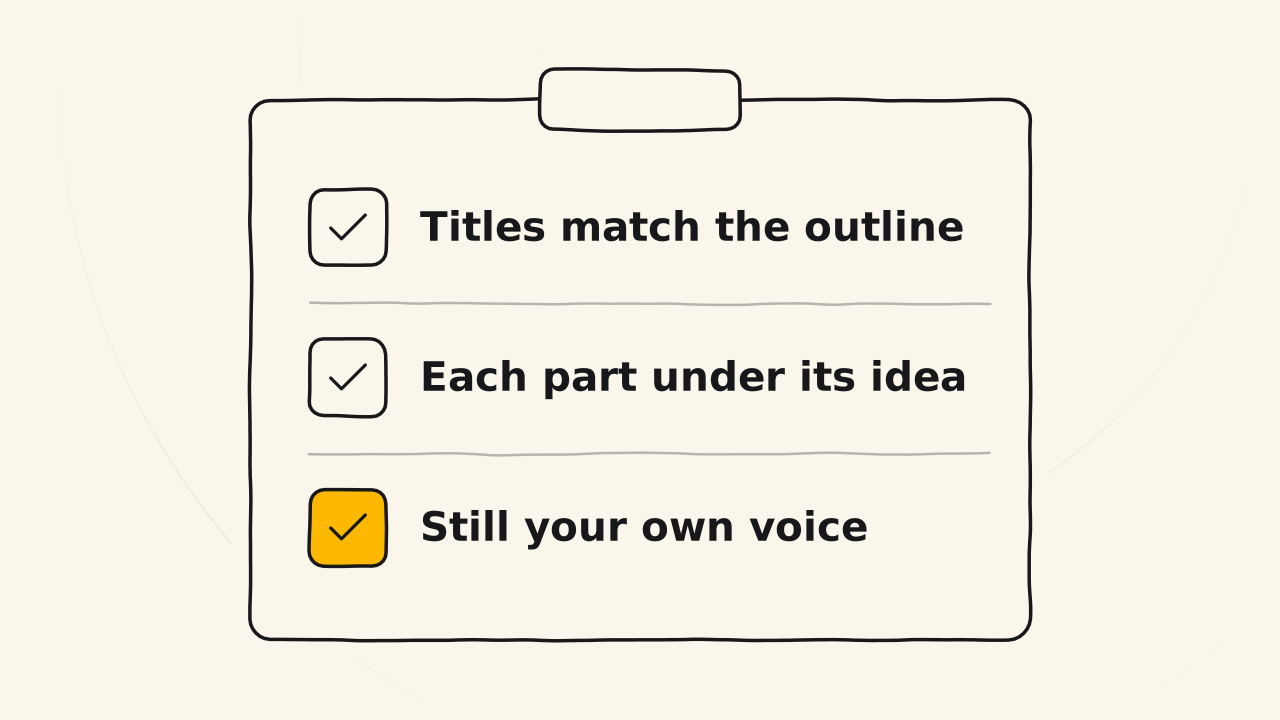
The result is usable when the headings of the big ideas are exactly as in the outline, each paragraph sits under its own idea, and the words are still yours. Reread each paragraph closely, above all where AI turned spoken words into written ones, to see whether it changed your meaning.
- AI changed a meaning or added an idea. Check it against the original draft and fix it to match.
- A heading of a big idea was changed. Change it back to the locked outline, because the text below was written for the old heading.
- The text is hardly shorter. The reordered draft is not the cutting step. Go through each idea and cut what repeats.
- The post is too short, with ideas missing. The Edit step only cuts, so this is missing ideas, not missing words. Go back to the Idea step to add ideas.
The next steps are in Edit a draft into a post.
What does AI do across all three Idea - Write - Edit steps?
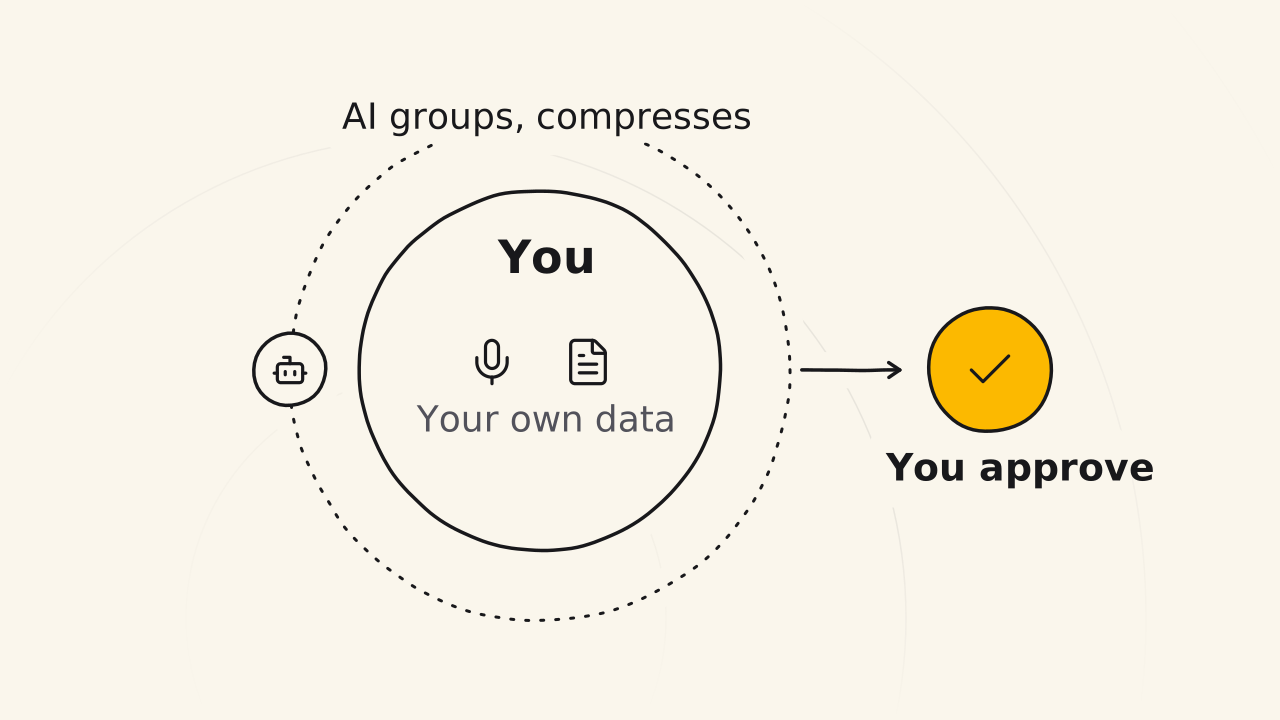
- AI does: works only on what you give it: your recordings, your writing, your draft.
- You do: check everything AI gives back before you use it. You are the last reviewer and you answer for the post, so you never publish what AI gives back without reading it.
- AI does not: do your training for you, and it has none of your experience: it writes from what is common in the world, and pinned on you, that is wrong. The process gets faster because you repeat it, not because of better tools.
Does AI help you write, or write for you?
The line is who makes the decisions. AI helps you write when it handles the repeated jobs on data you give it, and your ideas are always kept. AI writes for you when it does everything and you only press a button.
| AI helps you write | AI writes for you | |
|---|---|---|
| AI does | Clarifies ideas, makes images, analyzes data, cross-checks, thinks along with you, fixes wording, checks SEO, checks repeated words and word count | Outlines, scripts, wording, competitor and content checks, market research, self-editing, making its own images |
| You do | Decide and write | Press a button, write a few lines or hand over part of a script |
| Your ideas | Always kept | Lost |
Do not refuse AI: some posts AI writes very well, such as analysis posts. The rule is to let AI do what AI does best and let people do what people do best. Automate the steps that can be automated, and let a person do the steps that need one.