
Turning on indexing, or Going live, is the step where you let algorithms index your website. From then on, your website is officially on the Internet, which means that when someone searches for something that fits your brand, your content can show up for them. This is the last step of the Positioning stage, and stage 2 starts here.
What is indexing?
Indexing is the technical term for an algorithm collecting your website’s content to show users when they search. When a customer’s need matches your brand, product or content, the algorithm shows them that content. When a customer wants to buy, the algorithm can also send them to your product page.
Turning on indexing means you declare the website ready for others to see. The algorithm starts to confirm who you are, read your content, and slowly learn what the website is about, which category the product belongs to and which niches the content follows.
Indexing takes time. When you publish a post, it may not be on the Internet right away. How fast it is depends on the website’s stage, meaning how much trust it has already earned.
When should you turn it on?
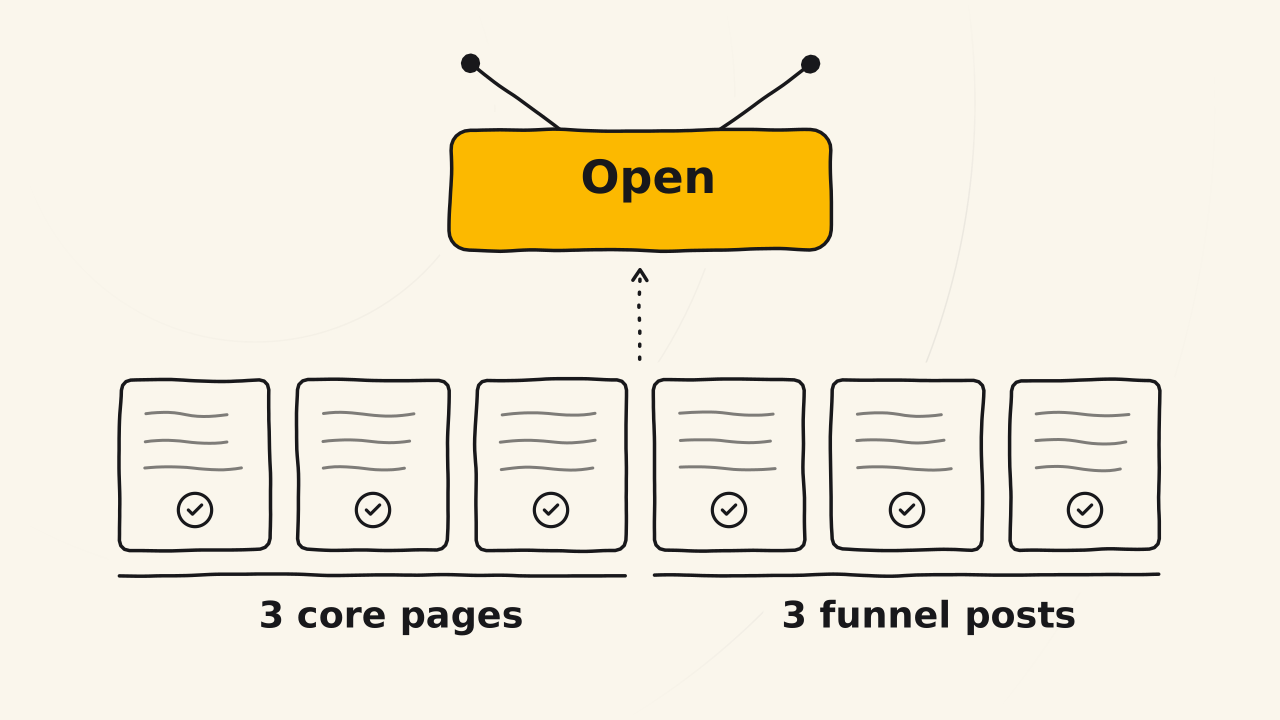
There are 2 levels, depending on whether you want speed or a solid start.
| Level | Pages that must be complete | Pages |
|---|---|---|
| Recommended | Home page, about page, product page, and the 3 posts of one content funnel | 6 |
| Faster | Home page, about page, product page | 3 |
The recommended level makes use of the first time an algorithm reads your website. A content funnel proves your website’s expertise and shows where your brand is heading. It is a springboard for later content, because the website is indexed better, and trust is clearer from the start.
There is another reason to turn on indexing early, which is that your website starts to have a history. Every measurement you take later needs this history.
What are the steps to go live?
Complete every page that will be read
Check each page on the list above. Each page must be complete, meaning no page or post has only a title. The home page answers who you are, the about page has your promise, and the product page has benefits and a price table.
After this step, you have 3 or 6 pages that tell a stranger what you do and what you sell.
Move unfinished pages to drafts
Every page or post that is not finished, including the sample pages your theme ships with and pages holding pasted placeholder text, goes back to draft. Algorithms only read published pages, so drafts do not drag your website’s score down.
After this step, your published pages are only the complete pages of the step above.
Set links to use the post name
A link like
/?p=123tells neither readers nor algorithms what the page is about, and looks ugly when shared. On WordPress, go to Settings > Permalinks, choose the post name structure, and save.1Do this before you turn on indexing, because changing links after Google has read them breaks the old links.
Turn off the search engine block
While you build, a website is usually set so that search engines can’t index it. Turning on indexing means turning this off. If your website uses WordPress, go to Settings > Reading, untick “Discourage search engines from indexing this site”, then save.2
From this moment, the website is open for algorithms to collect.
Track it with Google Search Console
Connect your website to Google Search Console if you haven’t yet. Search Console shows you which pages have been indexed, and once it has 3 months of data, it may send a monthly report on impressions and clicks.3
You will see pages get indexed over a few days to a few weeks, depending on the website’s stage. Then import your website into Bing Webmaster Tools so it shows up on Bing too.4
Why not turn it on too early?
If you turn on indexing while the content is half done, the first time an algorithm reads your website is also when it is at its weakest. You risk being seen as a low-quality website from the start. Once trust has dropped, later posts may be indexed very slowly, or not at all.
So from your first pages, the website needs to show that you are serious, a certain level of care and real effort in the content. Waiting a few more days to complete 6 pages is usually better than turning on indexing with 6 unfinished ones.
Related pages
- Doesn’t cover the Blueky screens: see the Blueky post Essential website setup before SEO (opens in a new tab).
- Doesn’t teach how to set up measurement tools: see Google Analytics.
- Doesn’t teach how to build a product page: see Create a product page.
- Doesn’t explain the personal site and business site: see Business site.