
The gift is the first part of the gift funnel, and the step that decides the whole of stage 3. You create the gift by splitting out one part of the core product for customers to try for free. When you finish, you have a free product on your website, ready to put in the funnel.
What to prepare
- A clear core product from stage 1. The gift is split out of the core product, so you cannot make a gift until the core product is clear.
- A website that uses WooCommerce, where you add the gift as a product.
Create the gift in 3 steps
Pick the part to split out of the core product
Take the core product as the base, then pick one part of it for people to try for free. The gift must be a part of the product you sell, not a different product. That way, people who try the gift have a reason to buy the core product later.
How you split it depends on your field and brand. With software, a common way is to create a free account and lock some features. With other products, the gift is a part derived from the core product, for example a good resource like an ebook or a template.
Make the gift like a real product
Put in the same effort as you do for a paid product. The gift does not bring in money directly, but it earns money for you indirectly, because people who get the gift try it, trust you, and only then buy.
When it is done, you package it as a gift to give. You will understand better what the gift means to customers, because you put in the work to make it.
Add the gift as a free product
Create the gift as a product in WooCommerce, with the same parts as a paid product, namely title, short description, long description, photo, video, notes and how it is delivered (details in step 1 of Build a sales funnel). The only difference is that this product is free.
The gift is delivered like any digital product, which means the system sends it to the receiver automatically. After this step, the gift is on your website and ready to put in the gift funnel.
Check the gift against 3 qualities
Before you build the funnel, compare the gift with the 3 qualities of a good gift in the table below.
| Quality | Question to check |
|---|---|
| Free | Does the receiver pay anything besides an email? |
| Truly useful | Is the gift useful enough to attract other people? |
| A part of the core product | Does trying the gift make people want the core product? |
If one of the 3 is missing, the gift is not ready. Go back to the matching step and keep working.
Two mistakes with a gift
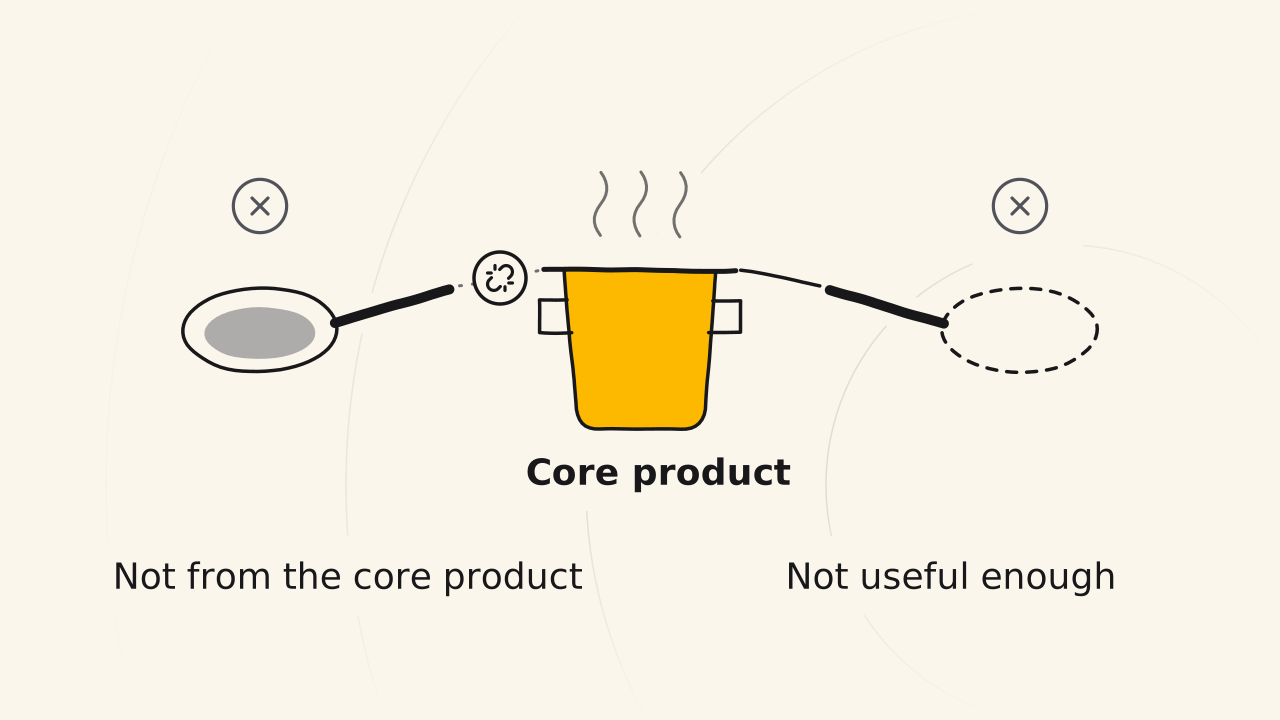
Beginners often go wrong at this step in 2 ways:
- The gift is not split out of the core product. The gift has nothing to do with the product you sell, so it is very hard to move the receiver to buy. The work you put into the gift is wasted.
- The gift is not useful enough. Because the gift is free, people put in little effort and make it generic.
Related pages
- Build the gift page, the emails and the gift link: see Create a gift funnel.
- Why the gift must be split out of the core product: see Gift funnel.