
A sales funnel needs 3 things, namely a product, a payment gateway and 3 pages linked in a straight line. This page goes through those 3 jobs in order. When you finish, a customer goes from the product page to getting the product without you closing the sale.
What to prepare
- A clear core product from stage 1, because the paid product is the core product.
- A website that uses WooCommerce, the tool Write to Sell uses to create products.
- A gift split out of the core product (see Gift funnel), if you also create the gift product.
Build the funnel in 3 steps
Create the product with WooCommerce
Every funnel holds a product, so the product comes first. In WooCommerce (opens in a new tab), you fill in 2 groups of fields.
What customers see is the product title, short description, long description, product photo, product video and notes.
The selling settings cover variations, stock, automatic delivery, shipping fees and the emails sent with an order.1 Variations are the versions of the same product. With a shipping method but no fee set, shipping is free.2
The gift product is filled in with the same fields. The only difference is that it is free. After this step, the product shows on your website and is ready to sell.
Set up the payment gateway
Payment is the part that makes a sales funnel different from a gift funnel. You set up a payment gateway in your personal name or your business name, depending on where you start. The table in the section below helps you choose.
When a customer pays, the money goes to your bank payment account. For each order, you get a notice from the bank or from the website system, and the first notice usually comes by email. After this step, your website can take money.
Link the 3 pages in order
A standard sales funnel goes straight through 3 pages:
- The product page, where the customer reads about the product and clicks to buy.
- The checkout page, where the customer pays through the payment gateway.
- The thank-you page, which the customer sees after paying.
After this step, a customer goes from the product page to the thank-you page without a break.
Personal or business gateway?
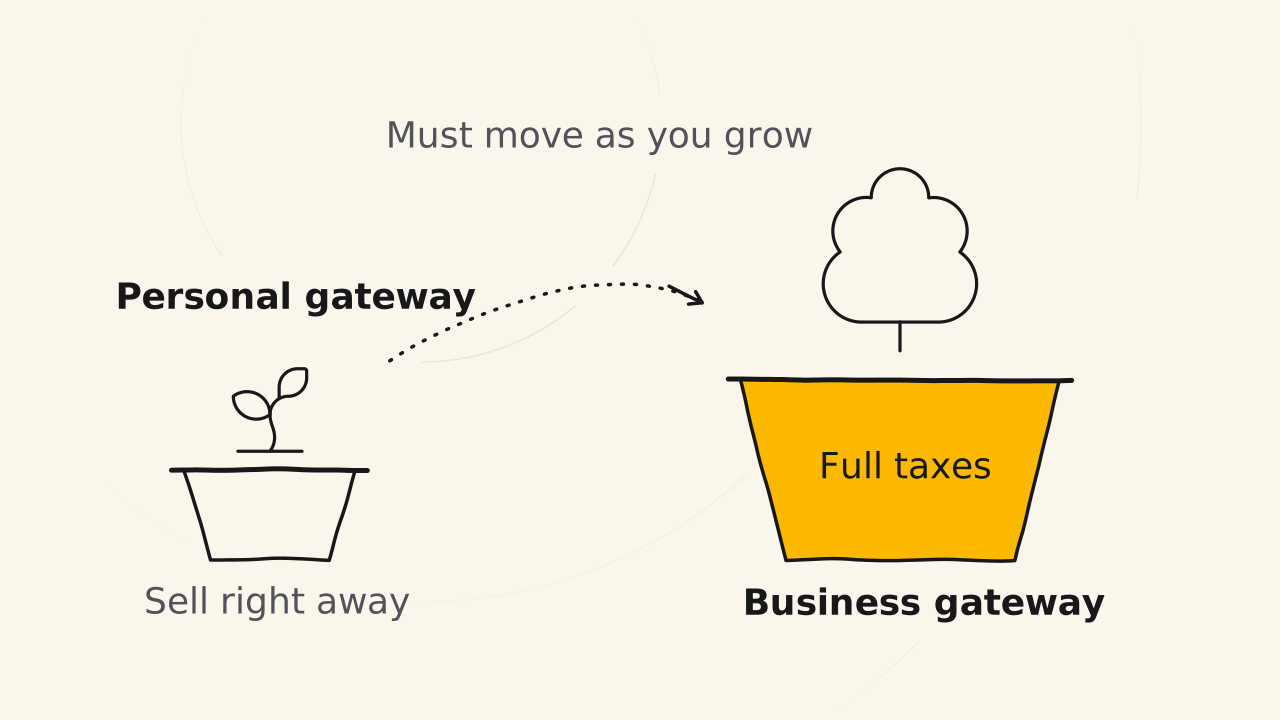
| Personal gateway | Business gateway | |
|---|---|---|
| When to use | When you are just starting | When your business grows |
| Strength | The fastest way to start | Full tax payment and tax filing |
| Extra benefits | None | Benefits for payments and refunds, and legal protection when you pay full tax |
A personal gateway lets you sell right away. When your business grows, you must move to a business gateway.
How a digital product arrives
A digital product is sent to the customer right after the customer pays. The system sends an ebook to the customer automatically after the purchase. Courses and software are delivered a little differently, depending on your field and brand.
The paid product is delivered the same way as the gift product. A secret product, like an ebook of your own recipes, reaches the customer only after they buy.
Pages that raise the order value
Between the 3 standard pages, you can add middle pages to raise the average order value, like a bump offer page, which is an invitation to buy one more thing during checkout.
In the coaching program, you do not need these pages. You use only the 3 pages for a while, and only then think about raising the order value. After the coaching program, you can discuss that strategy in the community.
Signs you did it right
- The paid product has a title, description, photos and a way to deliver it.
- From the product page, you click to buy and reach the checkout page.
- After paying, you see the thank-you page, get the product and get a notice that the money arrived.
To be sure of each sign, walk the whole funnel with a real order by following Test a funnel.
Related pages
- What a sales funnel is and how it differs from a gift funnel: see Sales funnel.
- The free gift and the gift page: see Gift funnel.