

Websites are looking for an SEO edge with AI, and llms.txt is rising as an AI optimization technique that big companies value. It is spreading fast and AI companies like it.
On WordPress this is simple with the plugin LLMs.txt and LLMs-Full.txt Generator.
What is llms.txt?
llms.txt is a summary of your website for AI, like schema and structured data are the optimization for Google. The file says briefly what your site is about and what your niche is, and it lists the important pages, each one as a link in Markdown. When AI reads this file, it understands your site and recommends it better.
You can test it yourself. Copy the whole llms.txt of a site, paste it into ChatGPT and ask about that site. The answer is more accurate than when AI searches on its own, because a good llms.txt is tuned to the site owner’s purpose, and many people even write it by hand.
llms-full.txt comes with llms.txt. It puts the full content of the posts in, to explain the summary further. When llms.txt is right, llms-full.txt follows.
What do you need to get ready?
- A WordPress website where you can install plugins.
- An SEO plugin that LLMs.txt and LLMs-Full.txt Generator can read: Yoast SEO, Rank Math, SEOPress or All in One SEO. This keeps the pages you set to noindex out of llms.txt.
Create llms.txt automatically for WordPress
Install the LLMs.txt and LLMs-Full.txt Generator plugin
The plugin makes and updates the llms.txt and llms-full.txt files for you. Install and activate the plugin LLMs.txt and LLMs-Full.txt Generator, then open its settings page.
Choose the content types for llms.txt
The plugin only lists the content types you choose. Usually that is Posts and Pages, plus any custom post types your site has. Set the update schedule to weekly, turn on llms-full.txt so AI understands your site better, then save.
Generate llms.txt for the first time
The first time, you must click to generate it by hand. After that, the plugin makes it again every week on the schedule you set. Open your site’s llms.txt file to look at it: a description of the site, then a list of pages and posts.
When should you make llms.txt by hand?
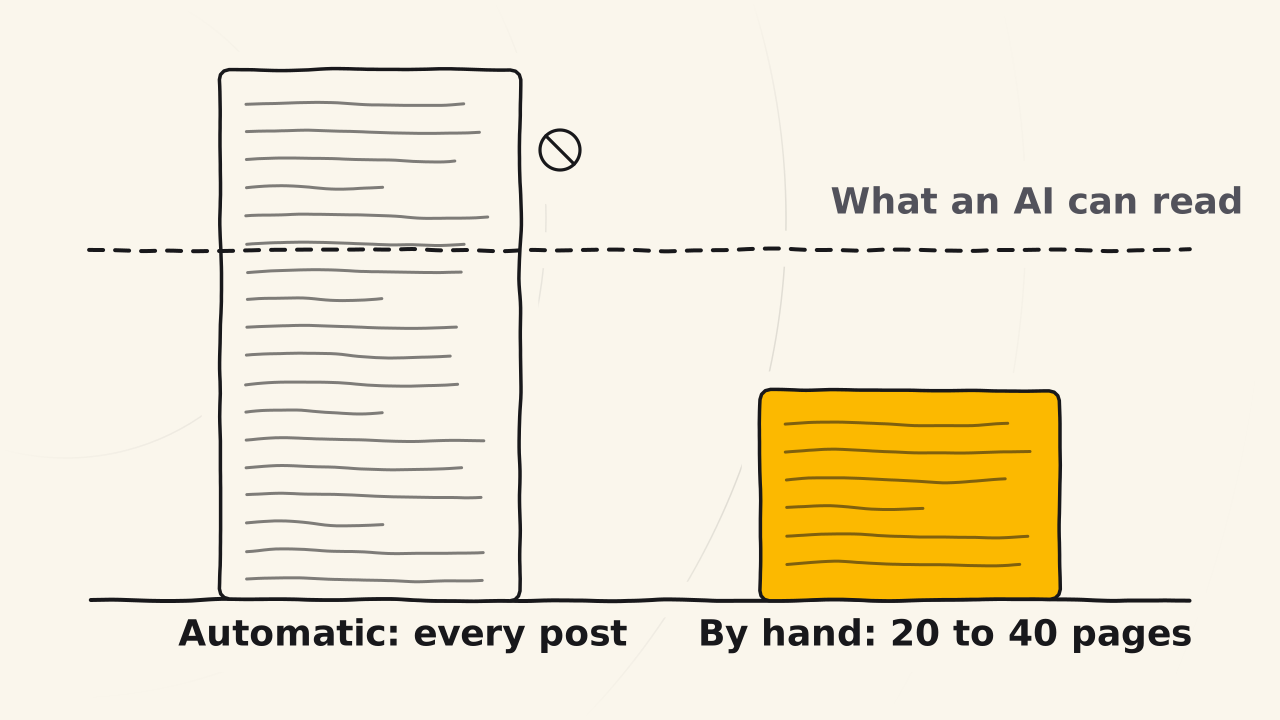
If your site already has a lot of content, make it by hand. The automatic mode lists every post. A site with 100, 200 or 300 posts gets a file so long that it is no longer a summary. Paste a file that long into ChatGPT and the tool flags it in red for going over the limit. Through the API it can still be read, depending on the model, but it costs a lot of resources. llms-full.txt is many times longer.
To make it by hand, switch the plugin to manual mode, then paste the URLs of your important pages, one URL per line. Each line becomes a link in the file. About 20 to 40 pages is enough: the pages that show the topic and niche of your site, and the parent pages that hold the child pages.
The plugin runs only one of the two modes, and never mixes automatic with manual. The automatic mode ignores the list you paste, and the manual mode uses only that list. For a new site, keep it automatic with weekly updates.
The automatic mode can also leave out a noindex page only when you set that page to noindex with one of the SEO plugins above, or with the WordPress setting that discourages search engines. A page you set to noindex with another SEO plugin is still included in llms.txt.