
After this page, you know what to do each time your product or brand changes: write it in the vault first, then fix your posts and sales pages. The vault is the root. When the vault changes, posts and sales pages follow. Never the other way around.
You can’t update your blog often, but you can update the vault often. This page is for you when you already have a vault and just had a change. If you don’t have a vault yet, read Build your first vault first.
What do you need to prepare?
- The change that just happened, already done. For example: the product added or dropped a feature, a bug was fixed, a customer gave real feedback, you work differently than you did 6 months ago, a belief became clearer, or a team member left.
- The vault page about it, or the place for a new page if none exists.
- The list of posts and sales pages that mention it, so you know what to fix.
Write one change in the vault, then spread it out
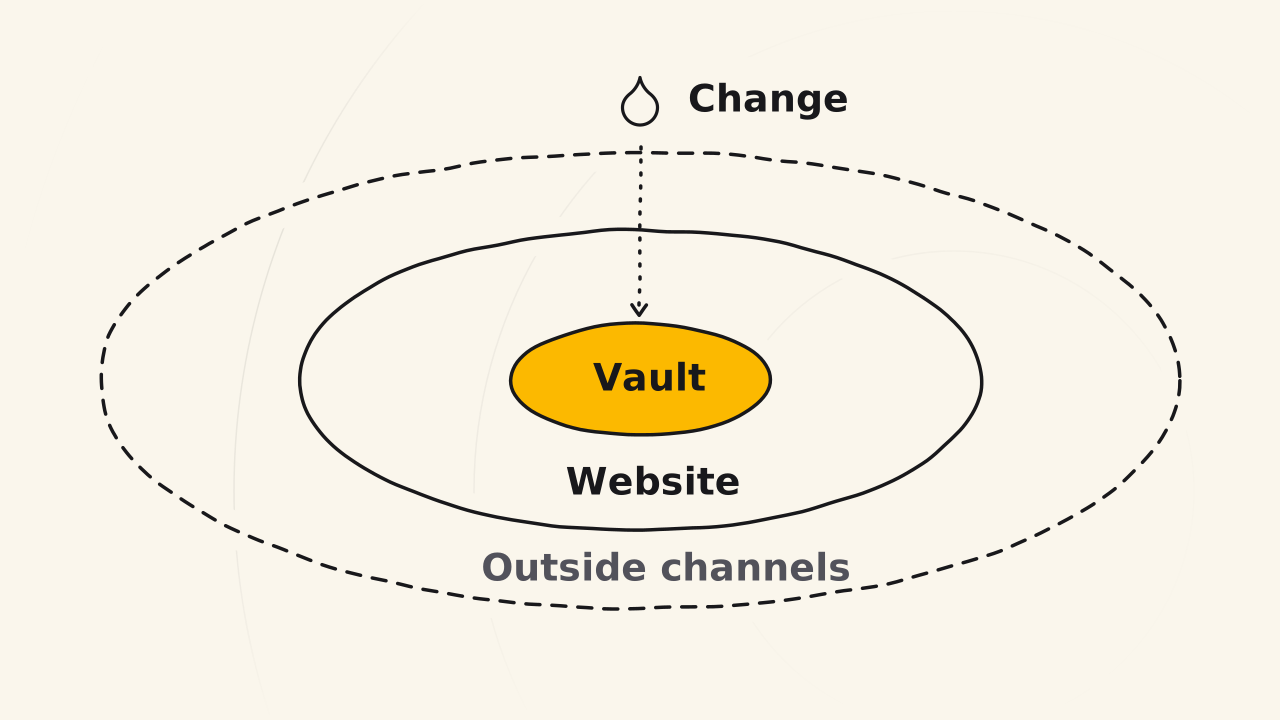
The content system puts the Truth vault first, then the website, then outside channels. The steps below follow that order.
Write the change in the vault
The vault must be right first, because every post takes its facts from here. Open the vault page about what changed and bring it to today’s state. If you added something, write the new thing. If you dropped something, write that it is gone. If you fixed a mistake, write the mistake and the fix. If a team member left, remove them from the team list. Add one line to the vault’s changelog. You will have a vault that is right for today.
Sort the change as big or small
The size decides whether posts must be fixed now or can wait. A big change touches a feature, a benefit, your positioning or your strategy. Fix posts and sales pages right away, especially Trust posts, because readers follow them step by step. A small change is a minor detail that doesn’t make a post wrong. That post can wait for a regular update, so you can collect many changes and fix them in one pass. You will have two lists: fix now and fix in a batch.
Fix posts and sales pages from the vault
Checking a post against the vault is simple work, and you can hand it to someone else. Open each post on the fix-now list, compare it with the vault page, and fix what doesn’t match. If you use AI, say which vault page is the root, so AI compares and fixes against it. Old videos stay wrong, so accept that and make new videos on a regular schedule. You will have posts, sales pages and a vault that say the same thing.
How do you know a post matches the vault?
Read the post or sales page next to the vault page:
- Features, benefits and price in the post are the same as in the vault: it matches.
- The post mentions something the vault says is dropped: fix the post, or remove that part.
- Two posts say different things about the same point: the vault is right, so fix both posts from it.
If updating the vault doesn’t go as expected
Many posts don’t match and you don’t know which to fix first
When three blog posts and a sales page are all off, it is easy to skip all four, and customers see a different message on each page. The vault answers which one to follow: fix every post from the vault. Start with the sales page and the Trust posts, because a mistake there makes customers do the wrong thing or buy the wrong thing.
The vault changes little, so there is nothing to write
A vault that changes little means a product that changes little. Instead of forcing more writing, work on the product. Updating the vault is really product work: whatever the product gains, the vault gains, and your posts get something to tell. Depending on how much the vault changes, you can publish a few posts a day, not a lot of posts.
Someone else wrote something that doesn’t match the vault
Show them the vault page they got wrong. A person who writes from the vault is answerable to the vault, so you can remind them and they can fix it from there.
When this guide doesn’t fit you
A new change that is only a plan and not yet done doesn’t go in the vault yet. Keep it in a note or in your digital brain. What gets into the vault is covered in Entity docs.