
The Write step turns a locked outline into a rough draft that is long and not yet edited. Writing here means pouring out everything you understand about each idea in the outline. You write so that you understand it first, and switching to your customers’ words waits for the Edit step.
The steps below need a locked outline. If you only have a one-line topic, outline a post from that topic first.
What to prepare
- A locked outline, made of the post title and the main ideas. An outline usually has six to eight ideas, short enough to talk through fast and deep.
- About 1 hour with no interruptions to talk the whole draft through.
- A way of writing that suits you: keyboard, voice, or pen and paper. Step 2 below helps you choose.
Write in one go
The three steps below take you from the outline to a rough draft. You fill the blind spots, pick how you write and go offline, then write in one go.
Find and fill the outline's blind spots
This is the handover between the Idea step and the Write step. Read each main idea and ask yourself how well you understand it:
- Some you know 60 to 70%.
- Some you have forgotten 30% of.
- Some are still vague.
Mark those ideas.
For each marked idea, read documents, watch videos and read books until you can explain it yourself. Do not copy text into your notes to paste into the post later, because you have to understand it to write it. All the looking up, checking and learning for the post has to be done in this step. You will see that you can explain every idea in the outline yourself.
Pick how you write and go offline
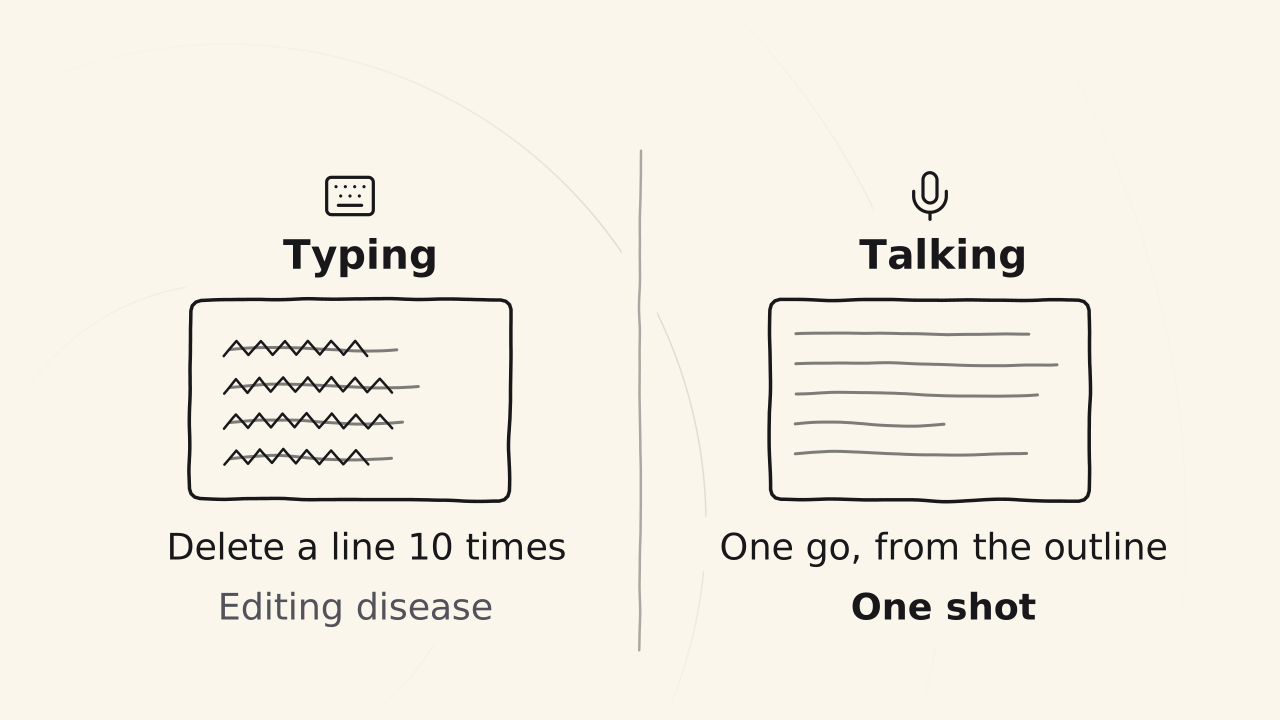
Open a blank page. This suits people who type fast and are used to sitting at a computer. Compared with typing on a phone keyboard, talking is about three times faster.1
Open the recording app on your phone. This suits people who type slowly, are often out, or have little time. For a slow typist, talking can be 10 to 30 times faster than typing. One 85-minute recording came to 17,000 words, while the same time spent typing gives about 2,000 words.
Take a pen and paper. This suits people who get dizzy looking at a screen for long. When you are done, take photos to turn them into text.
You can mix the ways, as long as it is the fastest for you. Then switch off the internet, close your notes and tabs, do not open AI and do not go back to your documents. Now it is only you and the screen.
Write in one go, one main idea at a time
Go straight to the main content, with no opening and no ending, because you add those two in the Edit step. Go through each main idea in turn, then each smaller idea inside it. Dig deep into what you understand, the process you follow, your memories and your stories.
For a long post you have two choices, which are to do it part by part and put the parts together, or to do it in one go.
While you write, you do not do these things:
- Fix words, stumbles or repeats.
- Switch expert terms into your customers’ words.
- Try to persuade anyone, or stuff in keywords.
Try to say it right the first time instead of saying an idea over and over, because every time you say it again, that is more words to cut. When you type, it is easy to catch the editing disease, where you fix as you write and delete a line ten times, so typing is many times slower than talking.
If you recorded or wrote on paper, turn the draft into text, changing only the form and not the content. You will have a rough draft that goes through every idea in the outline.
Signs it is ready to edit
- Have you gone through every idea in the outline? If you skipped one, write it now.
- Is there a part you copied from a document? Rewrite it from your own understanding. The draft has to be yours.
- Is the draft much thicker than the post you plan to publish? It has to be thick enough for the Edit step to squeeze out something solid. A draft is usually two to three times as long as the final post: the Idea - Write - Edit post on the cuongthach.com blog was recorded at 17,000 words and published at 5,400.
When all three hold, this is where the Write step stops.
When the draft is off
A draft that is off usually lacks ideas or direction, so go back to the outline and the blind spots instead of pushing to finish.
Stuck on an idea
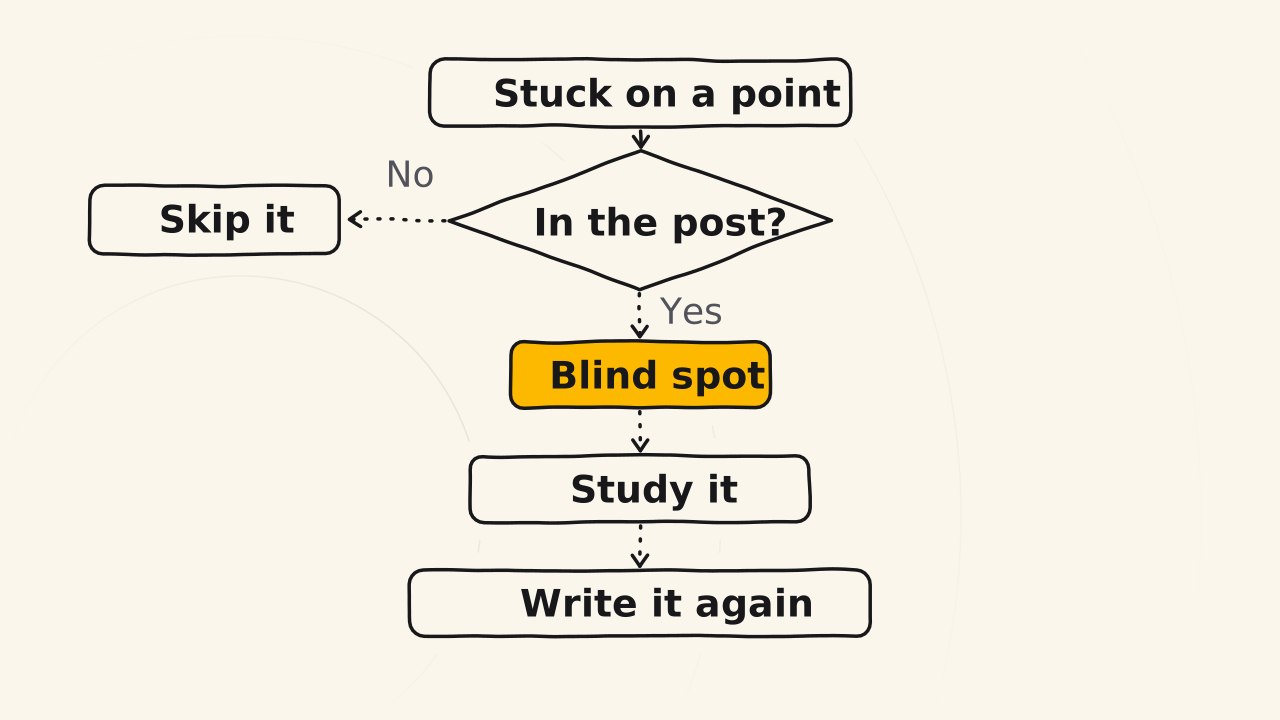
If you get stuck on an idea that has nothing to do with the post, skip it. If you get stuck on an idea in the post, it is a blind spot you missed:
- A concept you cannot explain.
- A method whose name you forgot.
- A process where you only remember step one.
Play the customer and ask yourself about that idea. If you cannot answer, you are stuck. Go back to documents, notes and official guides until you understand it in your own way, then write or record that part a second time. Do not copy and paste.
The draft is too thin
A thin draft leaves you nothing to squeeze, because if you squeeze it a little, the post that is left is very thin. To make it longer, next time record longer, talk faster and bring out more ideas. Talking speed and the depth of your ideas grow with practice.
Losing the fire midway
Stop, and do not try to push on to the end. When you come back, read the outline and the idea you were on, and keep writing from there. The outline is what keeps you on course. Without it, one phone call in the middle is enough to make you lose your way. Other ways of getting stuck in the Write step have their own fixes.
Related pages
- It does not explain what the Write step does and why: see The Write step.
- It does not show how to edit the draft into a post: see Edit the draft.
- It does not show how to get faster with every post: see Get faster.