
By the end, you can put an edited blog post online without rushing back to fix it. Hitting publish is where the Edit step ends and the post moves to Content distribution.
What you need before publishing
- The final draft. A post has two kinds of drafts. The plain draft is the one you write. The final draft is the one that comes out of the Edit step. Only the final draft goes live.
- The doc pages behind the post. Every fact in the post is already in the Truth vault, so the post has pages to link back to.
- A cover image, if you have one. A cover and illustrations are good to have, but you don’t need them to publish.
3 steps to go live
The three steps below take you from the final draft to a post on the internet.
Check the final draft
This step catches the errors readers and Google see first. Open the final draft and check each item in turn:
- Title, description and SEO of the post.
- Facts: everything in the post is right according to the vault.
- Links back to the vault: all the links are there, and each one leads to the doc page that proves the point.
- Text format, images and cover follow the standard.
- Wording: spoken language is now written language, and any hard-to-follow explanation is rewritten.
- The big H2 ideas: none so short it is hard to follow, none so long it drags. Trim them to a balance.
You will have a draft with no visible errors.
Read it once more
Errors in meaning only show when you read straight through. Right before the button, play the customer and read it once, slowly. Read as someone who knows nothing about the topic. Stop wherever it is hard to follow and fix it on the spot. You will have a post that you, as the customer, can follow from start to end.
Hit publish
Hitting publish ends the Edit step. If the words are finished, publish now, even without images: you can add illustrations later. After publishing, let Google and AI find the post on their own. You will see the post on your blog right away, and on Google after some time, depending on the stage of your website.
Pictures can come later
Images and illustrations are good to include. They show your effort and help the post earn a higher rating. They are not a condition for publishing: finish the words first and publish, then add images later.
A podcast or a video made from the post is not part of the post. It is repurposed content, made after the post is live. The repurposed versions you put on social media are extra versions too, and they help the post get found.
When Google indexes the post
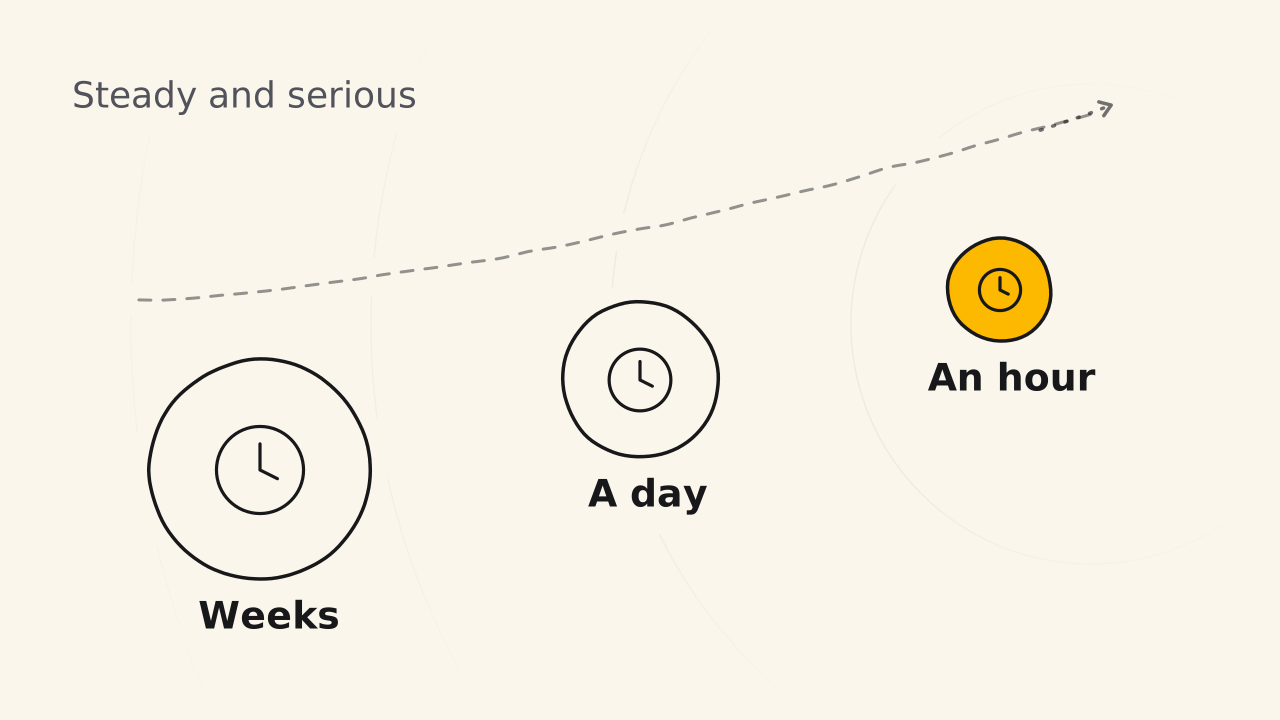
A post is indexed when it is visible on the internet. The time from publishing to indexing depends on the stage of your website.
| Website stage | Time to index |
|---|---|
| New site | Two or three weeks, sometimes one or two months |
| Site slowly earning trust | Shrinking: three weeks, two weeks, one week, one day |
| Site trusted for its quality content | About one or two hours after publishing |
If your site is new, just wait. Google needs you to prove you are steady and serious: post regularly, write quality content, do the work properly. Sooner or later it rates your site higher, and indexing gets faster. You can’t force a huge search engine to index your post right away.
Related pages
- It does not show how to turn a draft into a finished post: see The Edit step.
- It does not send a new post to subscribers: see Send a newsletter.
- It does not write posts from a doc page: see Derivative content.